
What AI Detector Do Colleges Use? (The 2026 Academic Landscape)
If you are frantically searching for what AI detector do colleges use, you are likely staring at an assignment and worrying about the "Submit" button. You aren't alone. Students across the globe are asking the exact same question, anxious that their hard work might be flagged by a computer program.

The short answer? It depends on your university's budget and the software they use to collect assignments, but the market is dominated by three main players.
The Short Answer: The Top 3 Detectors in Academia

While every school is different, the vast majority of institutions rely on a few specific industry leaders. Here are the top three AI detectors currently deployed in higher education:
- Turnitin (Originality): This is the market leader and the standard for most universities. It is rarely a standalone website for students. Instead, it is built directly into class portals like Canvas, Blackboard, and Moodle. If you upload your essay to a class portal, it is almost certainly being scanned by Turnitin.
- Copyleaks: Known for being faster and stricter than Turnitin, Copyleaks is widely used in STEM fields and enterprise environments. It is highly effective at detecting paraphrased content and AI-generated code, making it popular in Computer Science and Engineering departments.
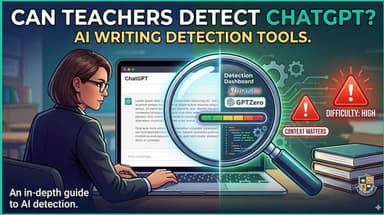
- GPTZero: While Turnitin is used institution-wide, GPTZero is frequently used by individual professors as a secondary check. If a teacher suspects a paper but Turnitin isn't clear, they may manually upload the text to GPTZero for a "second opinion."
Does Every Department Use the Same Tool?
Not necessarily. Usage often varies by institution size and department.
A large state university usually buys a license for Turnitin for all general education courses. However, specialized departments—like Law or Computer Science—might switch to Copyleaks because it is better calibrated for technical or legal writing. Smaller private colleges might use tools like Unicheck or SafeAssign (built into Blackboard) to save money.
Deep Dive: How Turnitin’s AI Detection Works

Since Turnitin is used by over 16,000 institutions globally, it is the "elephant in the room." If your school uses Canvas, Blackboard, or Moodle, this is likely the engine running in the background.

Unlike old-school plagiarism checkers that just look for matching sentences on Wikipedia, Turnitin’s AI detection works differently. It analyzes the statistical patterns of your writing.
The Mechanics: Perplexity and Burstiness
Turnitin does not "know" if you used ChatGPT. Instead, it guesses. It predicts how likely it is that a Large Language Model (LLM) wrote your text based on two specific metrics:
- Perplexity (Predictability): This measures how "surprised" the AI is by your word choice. AI generators are designed to pick the most mathematically probable next word to create smooth text. Human writing, however, is often chaotic and creative. If your text has low perplexity (it is highly predictable), Turnitin flags it as AI.
- Burstiness (Sentence Variation): This measures the rhythm of your sentences. Humans write with "bursts"—a mix of short, punchy sentences and long, complex ones. AI models tend to produce sentences with a very consistent, robotic monotone. Low burstiness triggers the detector.
The Student "Blind Spot"
The biggest issue with Turnitin isn't just its strictness—it is the lack of transparency.
Unlike other software, you cannot create a personal Turnitin account. It is sold strictly to schools. This creates a dangerous "blind spot" for students:
- You submit your essay to the portal.
- The professor gets an "AI Similarity Report" immediately.
- You do not see this score unless the professor chooses to share it.
Because you can't check your own work on Turnitin, you have no way of knowing if your legitimate writing has triggered a false positive until you are already facing an accusation. This is why using a third-party tool that mimics these patterns is the only way to audit your work before submission.
Other Common Institutional Tools (Canvas, Blackboard, & Copyleaks)

While Turnitin is the giant, it isn't the only sheriff in town. Depending on your school's setup, your essays might be scanned by other tools.
Copyleaks (The "Strict" Detector)

Copyleaks is gaining ground, especially in STEM. It is often seen as more aggressive than Turnitin.
- GPT-4 Detection: It specializes in catching newer, smarter models like GPT-4 and Claude.
- Paraphrasing Detection: This is a huge risk for students. If you use tools like Quillbot to rewrite AI text, Copyleaks is designed to catch it.
SafeAssign (Blackboard Integration)

If your university uses Blackboard, your work is likely being scanned by SafeAssign.
SafeAssign was originally just a plagiarism checker. While it is updating to spot AI, it is generally considered less sophisticated than Turnitin. However, it is very good at catching "patchwriting"—where a student slightly changes a few words of AI text but keeps the sentence structure the same.
Unicheck

Commonly used by smaller colleges and high schools, Unicheck integrates with Google Classroom and Canvas. It focuses on modification analysis, looking for "invisible" formatting tricks often left behind by AI tools, such as weird text spacing or hidden characters.
Does Canvas Detect AI?
This is one of the most common questions we see. The short answer is no, Canvas does not detect AI natively.
Canvas is just the portal where you hand in your homework. However, it connects to external tools. When you upload a file, Canvas instantly sends your document to Turnitin or Copyleaks via a digital bridge. If your assignment page says "Plagiarism Review" or "Originality Report," your data is being piped to one of these detectors.
The Problem: False Positives and "AI Anxiety"

If you are losing sleep worrying that your original work will be flagged as bot-generated, you aren't being paranoid. You are experiencing "AI Anxiety."
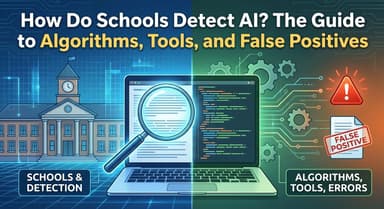
The harsh reality is that AI detection tools are estimates, not facts. They simply calculate statistical likelihood. Because academic writing is formal and structured, it often mimics the exact patterns these detectors associate with bots.
Why Innocent Students Get Flagged
Institutional tools analyze text for complexity and sentence variation.
- The Trap: If you write with perfect grammar, use standard transition phrases ("In conclusion," "Furthermore"), and keep a consistent tone, your writing looks "clean." To a detector, "clean" often looks like a machine.
- The Consequence: Students are starting to dumb down their vocabulary or intentionally add grammar mistakes just to bypass filters.
The Bias Against Non-Native Speakers
The risk isn't the same for everyone. A 2023 study by researchers at Stanford University found a major flaw in GPT detectors: they are biased against non-native English speakers.
The study found that detectors flagged over 50% of essays written by non-native English speakers as AI-generated. Why? Because non-native writers often stick to standard, predictable sentence structures to avoid grammar mistakes. In contrast, the same detectors were nearly 100% accurate when evaluating native English writing.
The "1%" Error Rate Is Still High
Turnitin claims their false positive rate is less than 1%. That sounds low, but look at the math:
If a university processes 10,000 papers during finals week, a 1% error rate means 100 innocent students could face academic integrity hearings. For those 100 students, that statistic is devastating.
How to Check Your Own Work Before Submitting

Since you can't see the professor's screen, you need a way to protect yourself. You are essentially flying blind, forced to submit assignments without knowing if your work will trigger a false alarm.
The best strategy is to use a high-precision third-party tool to audit your work first. Lynote AI Detector acts as a "Student's Defense Tool," verifying your authenticity before your file ever hits the school portal.

Why Use Lynote for Pre-Grading?
While many free checkers are unreliable, Lynote is built for academic standards:
- 100% Free & Unlimited: Competitors like GPTZero often hit you with a paywall after a few scans. Lynote allows for endless revisions. You can edit, re-scan, and fix your drafts as many times as you need.
- Institutional-Grade Precision: The tool is trained to detect patterns from the latest models, including GPT-4, Claude 3, and Gemini. It mimics the sensitivity of university tools, giving you a realistic prediction of how your paper will be scored.
- Deep Analysis: It doesn't just give you a generic percentage. Lynote highlights exactly which sentences look "robotic." This helps you rewrite specific areas rather than guessing which parts of your essay are the problem.

The Safe Submission Workflow
Don't guess. Before you upload your final draft to Canvas or Blackboard, take this step:
Paste your essay into Lynote.ai to ensure your human-written work is recognized as human. If the tool gives you the green light, you can submit with confidence.
Tips to Avoid False Accusations

Even if you write every word yourself, the fear of a "false positive" is valid. The best defense against an accusation is to create an undeniable "paper trail" of your work.
Here are four ways to prove you did the work:
- Write in Google Docs (Use Version History)
Always draft your essays in a cloud platform like Google Docs. These platforms automatically track Version History, recording every edit and timestamp. If a professor questions you, you can share the edit history to prove you wrote the paper sentence by sentence over weeks, rather than pasting a huge block of text in five seconds. - Keep Your "Messy" Research Notes
AI generates a finished product instantly; humans struggle through outlines and drafts. Save your rough notes, brainstorming lists, and links to sources. Showing the "raw materials" of your essay proves you did the critical thinking. - Don't Use AI to "Rewrite"
Many students trigger detectors not by generating text, but by using AI to "polish" their writing. Asking ChatGPT to "rewrite this paragraph for better flow" strips away your unique voice and replaces it with robotic patterns that detectors catch. If you need to edit, do it manually. - Verify with Lynote Before Submitting
Use Lynote AI Detector as your final quality control check. By scanning your paper before you upload it, you can spot if any specific sentences are triggering high probability scores and fix them immediately.
Frequently Asked Questions (FAQ)
Can Canvas detect ChatGPT automatically?
No. Canvas is just a Learning Management System (LMS). It does not have a built-in AI detector. However, it is almost always integrated with third-party tools like Turnitin or Copyleaks. If your professor enabled these tools, your submission is scanned the moment you upload it.
Is Turnitin AI detection accurate?
Turnitin is the industry standard, but it is not 100% accurate. It has a margin of error. Independent studies show that non-native English speakers and writers with concise, technical styles are at a higher risk of being falsely flagged.
How can I check if my essay sounds like AI for free?
Since you cannot create a Turnitin account, Lynote AI Detector is the best free alternative. Unlike other tools that charge you after a few scans, Lynote offers unlimited, free checks, giving you a probability score that mimics what your professor will see.
Do colleges check every single paper for AI?
You should assume the answer is yes. If your university uses an LMS like Canvas with Turnitin integration, the checking process is usually automated. The system runs a background scan immediately upon upload. It is safer to verify your work beforehand than to hope the professor skips the check.
Conclusion: Protect Your Academic Reputation
Getting through college today requires more than just good research; it requires protecting your reputation. While institutions rely on powerful "black box" tools like Turnitin to maintain integrity, you are not helpless.
Transparency is your best defense. Keep detailed version histories in Google Docs and pre-verify your work before hitting "submit." You shouldn't have to wait for a grading notification to know if your writing passed the test.
Take control of your submission process:
- Be Proactive: Don't guess what the detector will say. Know the score beforehand.
- Be Prepared: Keep your drafts and notes to prove you wrote it.
- Be Certain: Audit your final draft.
Don't leave your grades to chance. Use Lynote AI Detector for free today to scan your papers, verify your authenticity, and submit with confidence.